Guides › CompressBox
Guide · CompressBox · 3 min read
Compress a batch of images on Mac
The useful result is a smaller file that still looks right at the size where it will be used. Check both, especially when preparing several images for a website, email, or social post.
Group files by destination
Keep website graphics, photographs, and screenshots in separate groups when they have different quality needs. Preserve an untouched copy of the source files so you can compare results or try different settings.
Compress locally
Add a batch to CompressBox, choose the image settings that fit the group, and run compression on your Mac. The app supports PNG, JPEG, WebP, BMP, ICO, and GIF images. It also has a separate video workflow for MP4, MOV, and M4V.
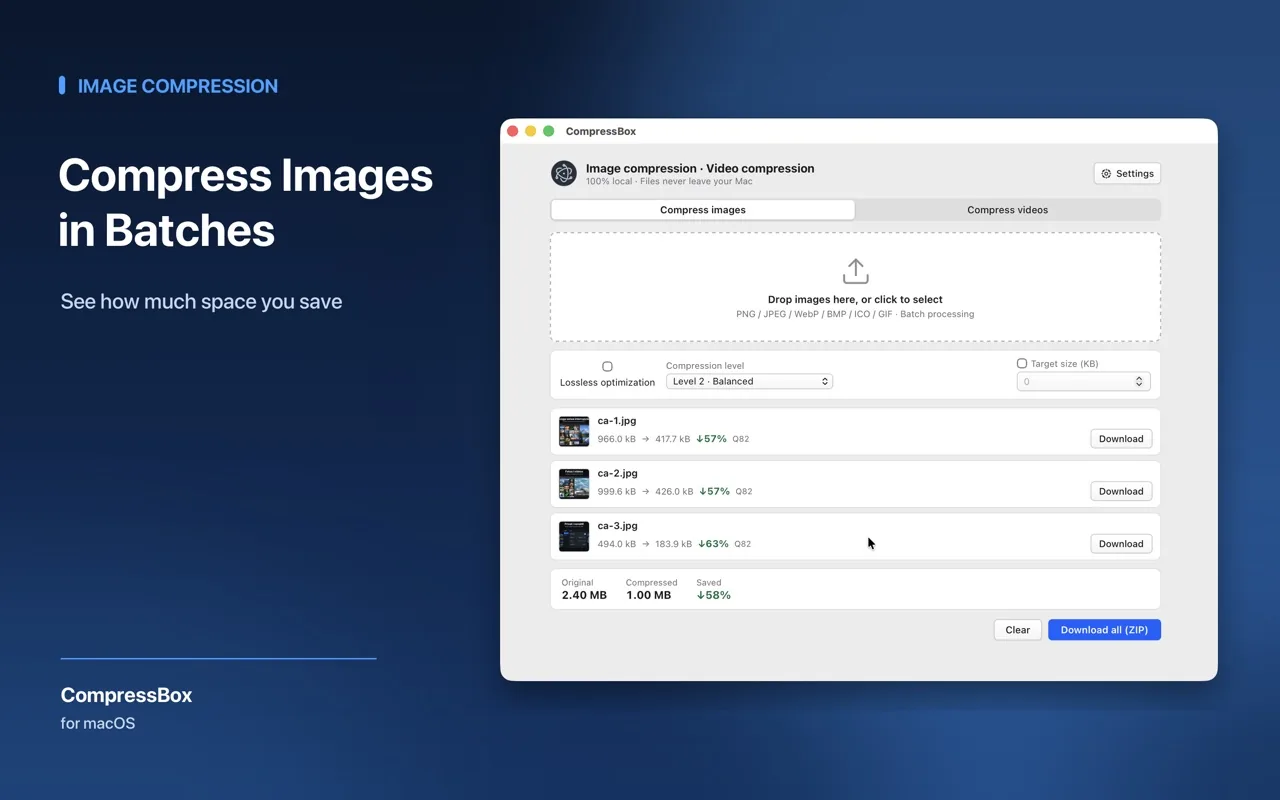
Compress locally Inspect the output
- Compare file size before and after. A smaller result is only useful if it still suits the destination.
- Check fine text, edges, gradients, and detailed photos at the display size that matters.
- If detail is lost, use a gentler setting or keep the original for that file.
Export the version you want to share
Use the output files after the visual check. For a web project, test them in the actual page layout; for a client handoff, keep the original set alongside the compressed deliverables.
Frequently asked questions
Where are compressed files saved?
Completed files are saved locally to your Downloads folder.
Why didn’t my file get much smaller?
Already optimized files may not become much smaller without quality loss. If output size grows, try a lower quality setting or retain the original format.
Does it change video size or frame rate?
Videos keep their original dimensions and frame rate by default. You can adjust the compression quality for each video before starting.

Try CompressBox: Image Compressor
Batch image and video compression runs locally on your Mac.


Updated October 2026.